An expense tracker that reads your bank SMS
Updated 15 November 2026
Tired of typing every payment? SimpleMoney reads the SMS alerts your bank already sends and records them as transactions, on your phone, with no bank login and no account.
How SMS expense tracking works
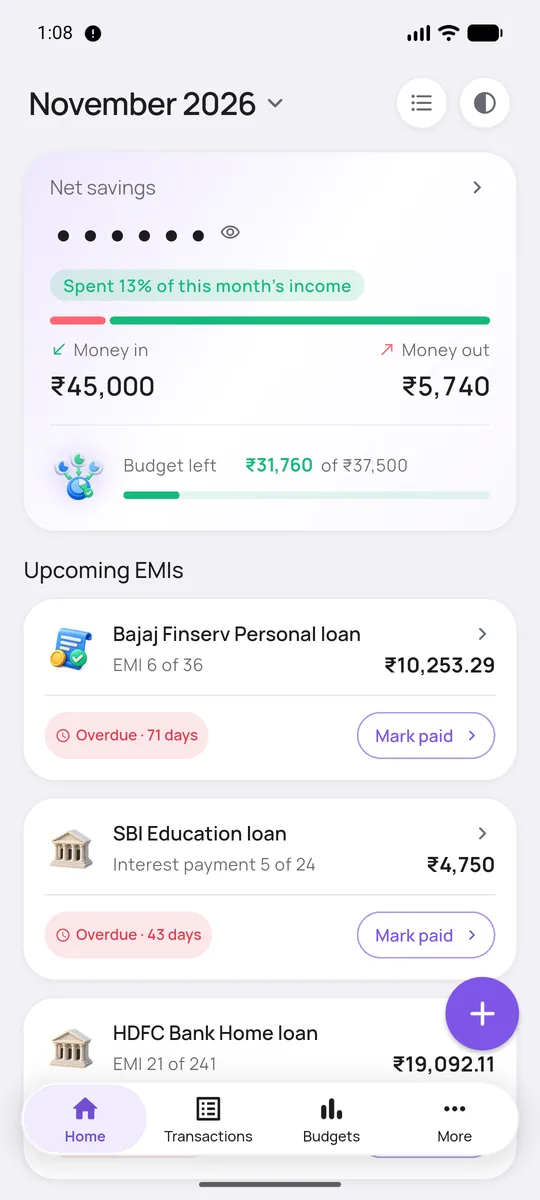
- Allow SMS access once, when the app asks.
- When a bank alert arrives, the app reads the amount, account and merchant, and adds the transaction.
- You get a notification, and you can fix the category with one tap.
The messages are read on your phone. SimpleMoney does not log in to your bank, and your SMS are not uploaded.
Why it is different from bank-linking apps
- No bank credentials. It never asks for your net-banking or card login.
- Works offline. Reading SMS needs no internet.
- Works in many countries. It includes reading rules for banks and wallets in many regions, and the AI assistant can teach it a new bank format in minutes.
When your bank sends few or no SMS alerts
Some banks send alerts only now and then. For UPI, SimpleMoney can note the payment when you scan, and remind you afterwards to record it with a likely category. You can also import a statement as PDF, CSV or Excel, including Google Pay, PhonePe and Paytm.
What if a message is not read?
Open More → Help → Report SMS to see messages the app missed. With the AI assistant, you can ask Claude or ChatGPT to write a reading rule for it. The AI sees only messages the app could not read, and nothing is saved until you approve. Details: AI & MCP and the step-by-step guide.
Frequently asked questions
Does it work with my bank?
It supports many banks and wallets, and you can teach it a missing format. Missed messages are easy to find under Report SMS.
Is it safe to give an app SMS access?
SimpleMoney reads messages on the device and does not upload them. You can turn SMS reading off any time in Settings.
Does it work on iPhone?
SimpleMoney is for Android. Reading SMS this way is an Android feature.
Get SimpleMoney on Google Play Read the guides